

A plant team reviewing a flagged record together

Presoris · The product for production data

The product that gives your production data a home.

Presoris plugs into the systems you already run and gives their data a place in one database. It checks the data, gets it approved and turns it into reports.

What it can do depends on your setup, data sources and site.

Conceptual illustration only. Not a screenshot of the Presoris interface.
A questionable record can undermine a report. A visible exception gives the team somewhere to begin.See it. Investigate it. Review it.

How it works

Three steps from your production to reports you can trust.

Presoris was built so that ABI does not have to build a new reporting system for every site. Your data gets a ready made home in the product.

  1. We look at your productionHow your site runs, what it makes and the systems it already uses.
  2. We switch on the modules that fitReady made modules, chosen for your production. Your data is in shape from the start.
  3. Your data is managed, approved and reportedApproval screens check it, and ready made reports come with each module.

Nine modules, one database

Every module shares one home for your data.

Data entered once is ready for every module that needs it. Pick a module to see what it covers.

What you already run

  • ERP your finance and planning system
  • Machines and their control systems (PLC and SCADA)
  • Spreadsheets and manual entry
  • Scanners and phones on the floor
  • Other databases and business systems
Placeholder list
PresorisOne database, a home for all your production data
Out: approved data to your reports, dashboards and ERP

PlaceholderABI’s own module diagram will replace or sit beside this drawing.

The Presoris suite

More than a data check. A full production information platform.

Pick the modules your site needs.

Product Management

Consistent standards and less process variation.

See Product Management
What it means for you
  • One approved version of every product and recipe
  • Production always runs to the current version
  • Costs and margins known before a product reaches the floor

Production Management

More output, less waste and less downtime.

See Production Management
What it means for you
  • Output, downtime and waste captured as they happen
  • Clear targets for every shift and line
  • Corrections kept on record, with who changed what and why

Inventory Management

Accurate stock and fewer shortages.

See Inventory Management
What it means for you
  • A live view of what is on hand and where
  • Batch and lot tracing when questions come up
  • Stock differences found at the count, not at year end

Warehouse Management

Smoother operations and accurate deliveries.

See Warehouse Management
What it means for you
  • Every receipt, move and dispatch on record
  • Fewer picking and dispatch mistakes
  • Supervisors see load progress without walking the floor

Reporting

A clear view of how you are performing.

See Reporting
What it means for you
  • Less time building weekly and monthly reports by hand
  • Everyone looks at the same figures
  • Teams on the floor see live performance on a screen beside them

Data Warehouse

One trusted history of all your data, for better decisions.

See Data Warehouse
What it means for you
  • Trends and comparisons over months and years
  • The numbers you track (your KPIs), worked out the same way every time
  • A base for future analytics and AI

Platform Monitoring

Less downtime and faster fixes.

See Platform Monitoring
What it means for you
  • Problems spotted before users notice
  • Warnings go to the right people
  • One view of system health across every site

Data Quality Management

Information people trust.

See Data Quality Management
What it means for you
  • Bad data caught at the source
  • Fewer arguments about whose numbers are right
  • Errors fixed early, when they are cheap to fix

Trackscan Mobile

Accurate scanning where the work happens.

See Trackscan Mobile
What it means for you
  • Mistakes stopped at the point of action
  • Every scan tied to a person, a pallet and a time
  • Work goes on where the signal is weak, and scans sync later

Modules are scoped for each site. Not every site needs every module.

Plugs into what you already run

Keep your systems. Presoris gives their data a home.

Presoris connects to the systems you already have and finds a place for their data in its database. From there it is checked, approved and reported.

  • ERP your finance and planning system
  • Machines and their control systems (PLC and SCADA)
  • Spreadsheets and manual entry
  • Scanners and phones on the floor
  • Other databases and business systems

PlaceholderExamples only. ABI is sending the full list of systems Presoris connects to.

Built in approval screens

The source can be wrong. The report does not have to be.

Every plant knows the moment. A PLC glitches, SCADA loses contact and data goes missing. Fixing the source is right, but nobody has time on the day.

Presoris adds a step between the source and the report. The report uses the checked number, and the original stays on record. Approval screens are built into the product, so data is checked and signed off before it goes anywhere.

  • Manual capture for the data that is never automated
  • Approval by the data clerk and the production manager before release
Sample values for illustration only. Not a screenshot of the product.

Ready made reports

Every module comes with ready made reports.

Switch on a module and its reports come with it, built on approved data. No waiting for a report to be built from scratch.

PlaceholderABI is sending the list of ready made reports for each module.

Need one more report?

Ask for a report in plain words.

A new report used to mean a long wait for development. Presoris includes a reporting tool guided by AI. It knows the structure of your database.

It is faster than building by hand, and reports can go to mobile devices.

Illustration only. Real reports are built from your own approved data.
1. DescribeSay what the report must show.
2. BuildThe assistant designs it from your data structure.
3. Plug inThe report is added to the platform for your team.

A person who knows the operation still reviews every report before it is released.

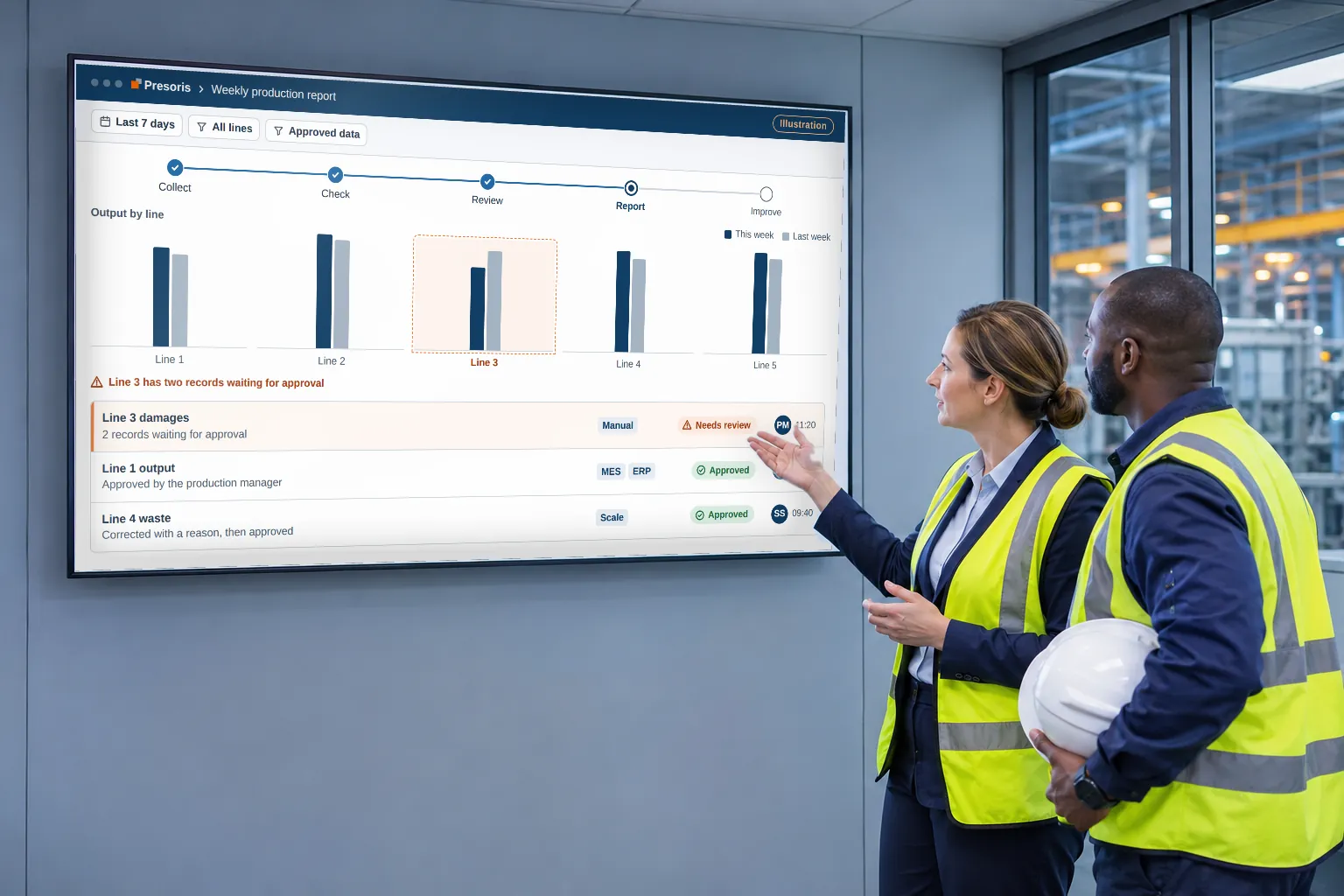
An operations manager and a shift supervisor discussing a weekly production report from Presoris on a large wall screenIllustration

Reporting

Everyone looks at the same approved numbers.

Reports use only approved data, which means the wall screen, the meeting pack and the finance figure all agree. A record waiting for sign off shows as waiting, not hidden.

Illustration: a concept photo with a sample screen. Not a client site or a screenshot.

Not a custom build

A proven product, set up for your site.

A custom reporting system starts from nothing at every site. Presoris starts with a place for your data that is already built, and ABI shapes it to your plant.

Sooner

With ready made building blocks for production data, which means your first trusted reports arrive sooner.

Lower cost

With much less custom building, which means a lower cost and fewer surprises along the way.

Lower risk

With a product that is already built, which means less risk and a system that is easier to keep running.

What is different

Most systems record the number. Presoris also checks it.

Typical systems compared with Presoris
StepTypical systemsPresoris
Data entryRecords itRecords it and checks it against your rules
CorrectionsOverwritten, or fixed in a spreadsheetCorrected on screen, with a reason and a record
Sign offInformal, or noneApproved in steps before it is final
Sending to the ERPEverything is sent, and errors are found laterOnly approved data is sent, and errors are visible
ReportingExport, match up, rebuildOne approved source, one version
Looking aheadData stuck in separate systemsOne history, a base for future analytics and AI

Five reasons teams choose Presoris

More context around the records that matter.

Bad data caught at the source

Rules check data as it comes in, so bad numbers stop before the report.

Clear sign off and a full record

You know who changed what, when and why.

Only approved data goes to the ERP

Finance and planning work from checked numbers.

One history of your operation

Compare months and years without rebuilding spreadsheets.

One trusted source, today and tomorrow

Meetings are about decisions, not whose number is right.

Exact screens, alerts, approval steps and integrations are confirmed against the current Presoris release before a project starts.

In practice

A bakery group running several sites from one platform.

  1. Before

    Each bakery kept its own records. Managers pulled numbers together from different systems and spreadsheets, and it was hard to compare one site with another.

  2. The change

    The group now runs its bakeries on one Presoris platform. Each site captures and checks its own data, and the right people review it before it is reported.

  3. After

    Head office and the sites work from the same approved numbers, and platform monitoring keeps watch over every site from one view.

Based on an ABI client, kept anonymous. No names or figures are shared.

Security and where it runs

Your IT team stays in control.

Most manufacturers prefer to install on their own site, and your IT team keeps control of security and access.

  • Sign in with your Windows account, or with a password and a code on your phone.
  • Each person sees only what their job needs.
  • Every change is on record: who changed what, and when.
  • Each scanner or connected system has its own key, which can be switched off at once.
  • One install can run many sites.

On your own servers

Inside your own network, on servers your IT team manages.

Containers that run anywhere

Delivered in Docker containers, so it fits a data centre, a virtual machine or a private cloud.

One view across many sites

Platform monitoring watches every site, even groups with many plants.

A buyer’s practical questions

What Presoris can, and cannot, promise.

Does Presoris fix missing PLC or SCADA data?

No. It flags the gap so someone can look into it. Your engineering team still fixes the source. A reviewed manual record may be possible in some workflows. This is confirmed for your site.

Does it replace Power BI, SCADA or our historian?

No. Presoris checks data quality and reports exceptions. How it works with your reporting, historian and control systems is agreed early in the project.

Can we see a screenshot or demo?

The screens on this page are illustrations, not screenshots. Ask ABI for a demo or a cleaned example when one is cleared for sharing.

What infrastructure and security does it require?

The basics are listed above. Hosting, versions, network limits, data retention and security documents are reviewed with your IT and plant teams before anything is installed.

What types of rules can be configured?

You set your own data-quality rules, tied to key measures. What is possible depends on your site and the current release.

Talk about one critical measure

Which production number would you like your team to question less?

Start with a short conversation. Describe the report, the rule behind the number and how exceptions are handled today. ABI will tell you if Presoris fits.

Email ABI Solutions